
Digital business cards for your entire team
CARTLY lets sales, HR and marketing teams deploy, personalize and manage digital business cards from a single dashboard. Your people share their card by QR code or link; you follow the results and collect every new contact.
- 30 days free, up to 30 team members
- No credit card
- Set up in under 5 minutes
Deploying more than 30 people? Discover CARTLY Business →


Trusted by


Used by sales directors, HR managers and field teams in
Built to manage teams, not isolated cards
CARTLY is made for the company that has to equip, control and measure an entire team, from one place.
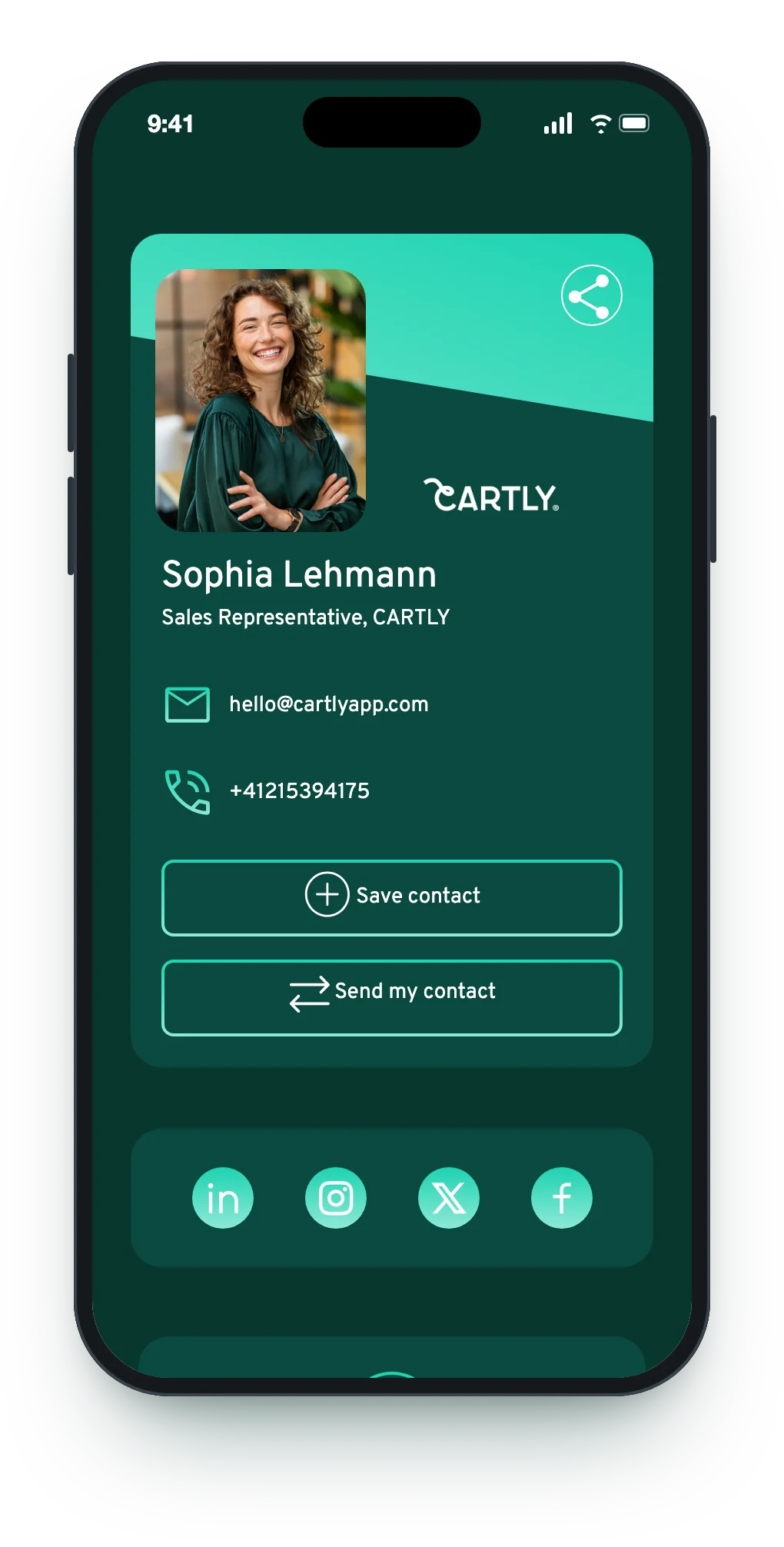
One dashboard for every card
Create and update your team's cards from one dashboard. Your team members have no app to install.
Learn moreYour brand on every card
Templates, fonts, colors and your company logo, with per-field permissions for each team.
Learn moreEvery meeting becomes a contact
With “Send my contact”, the people you meet share their details. Export them or sync them to your CRM.
Learn moreResults you can measure
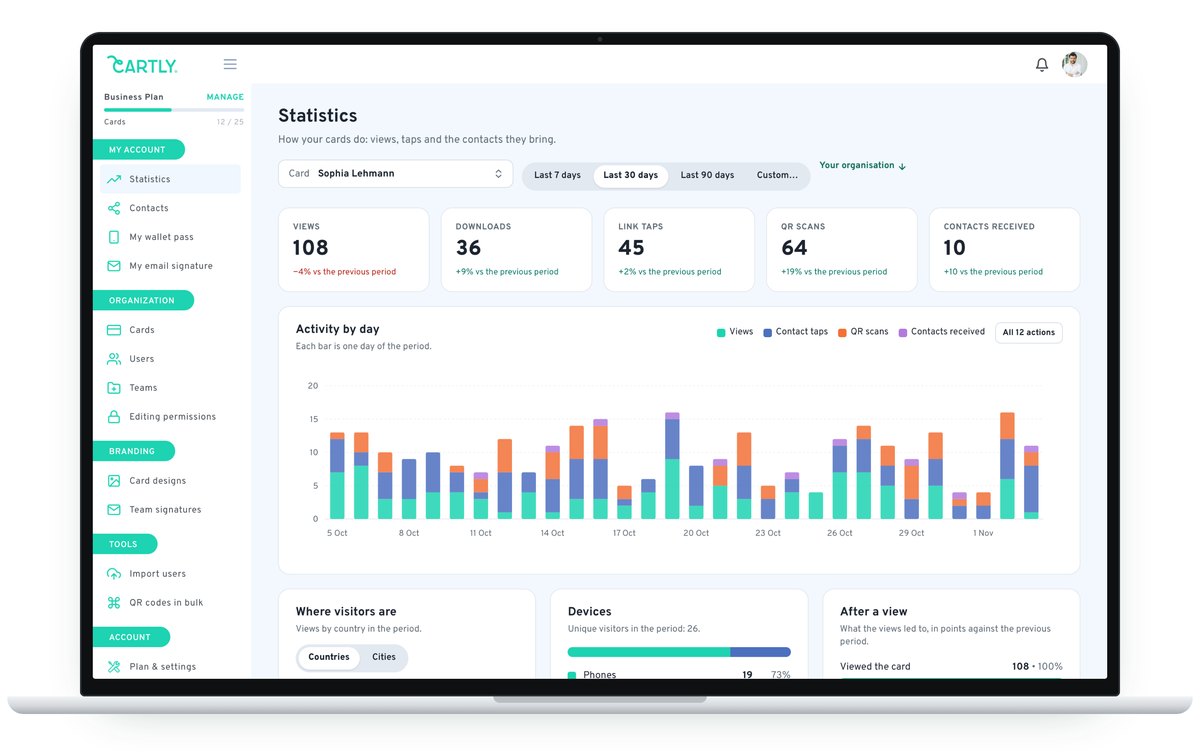
Views, downloads, clicks, QR scans and exchanges, per user and for the whole organization.
Learn moreYour team equipped in an afternoon


01Design
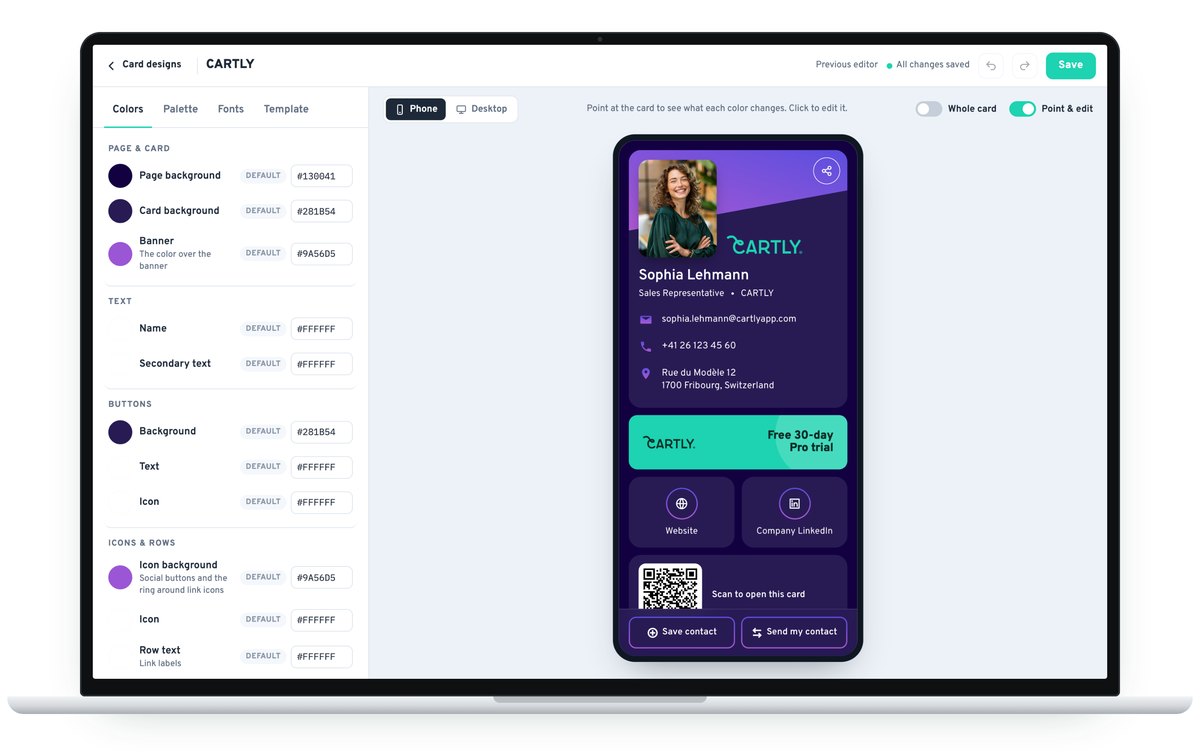
Set your design
Choose from our many templates, then set the font, text color, background and buttons. Activate your company logo on all cards so every card your people share looks like your company.
- Company logo on every card
- Custom card URL
- Team banner on cards and email signatures
02Teams
Set team permissions
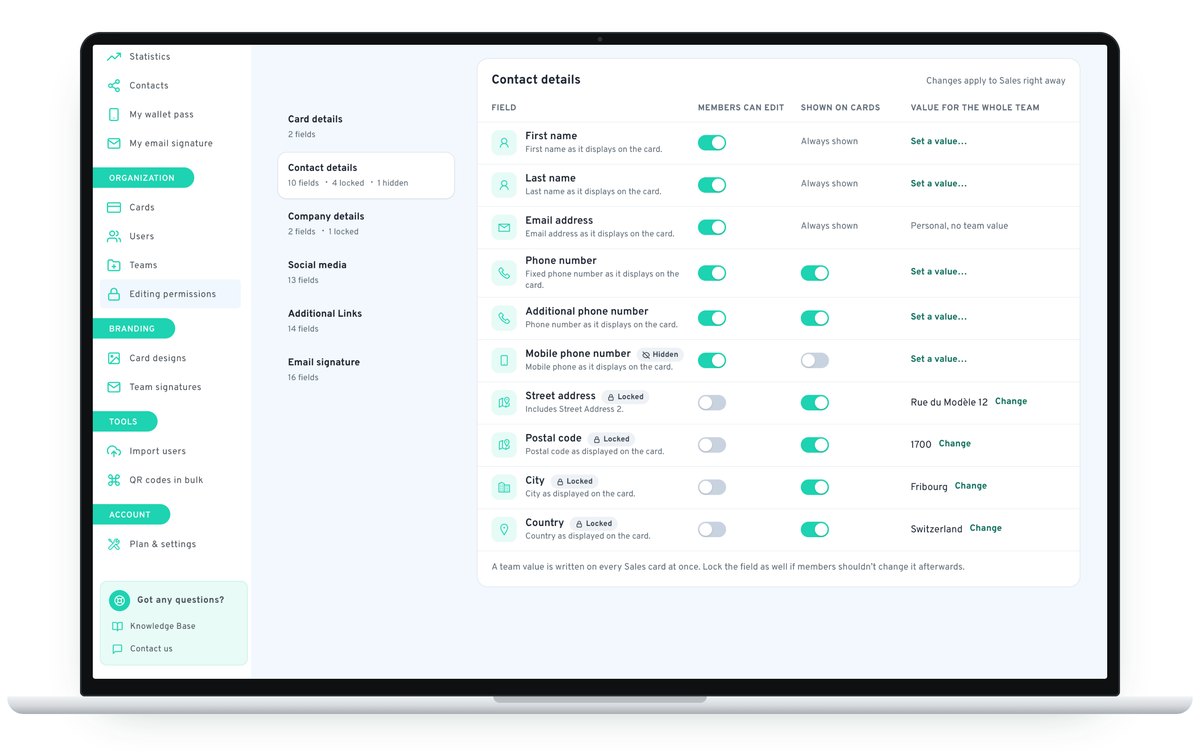
From the CARTLY dashboard, you create cards, organize your people into teams and appoint several administrators. For each team, you decide field by field what team members can change.
- Per-field permissions: make a field editable, set one value for the whole team, or disable it.
- Multiple administrators: share the management of your organization.
03Invitations
Invite your team
Add your users; each person receives their access by email.
- Automated onboarding: no app for your team members to install.
04Contacts
Turn every meeting into a contact in your CRM
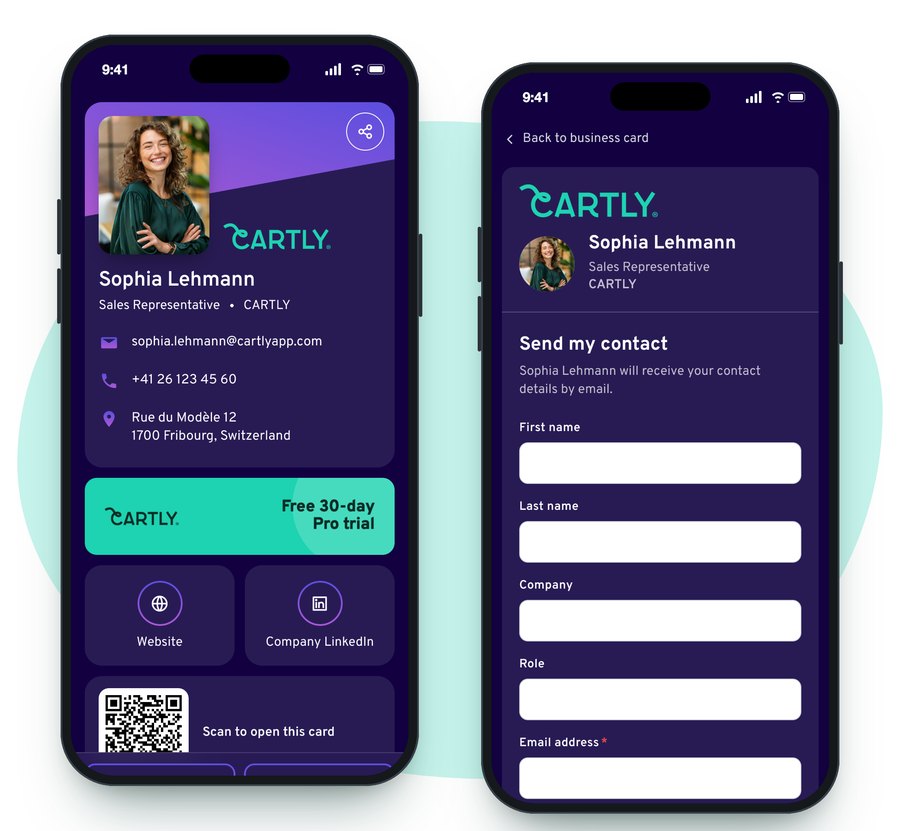
With one tap on Send my contact, the person your team member just met fills in a short form: name, company, role, email, phone and the reason for the exchange. No app, no account. The contact is saved in CARTLY.
- Export your contacts as CSV, VCF or Excel (Pro and Business plans).
- Zapier integration (Pro and Business plans): each new contact exchange is sent to HubSpot, Salesforce, Zoho CRM and other apps.
- Contacts collected before connecting Zapier can be synced too.
05Results
Statistics per user, a global view for the organization
CARTLY records card views, contact downloads, clicks on email, phone, address and links, QR code scans and contact exchanges. Pick a card and a date range, then compare every card in your organization over the same period.
- Every card compared: Sort them by views, QR code scans, downloads or contacts received.
- Countries and cities: See on a map where your cards are viewed.
Shared in a second, the right way for every situation
QR code & unique link
Show or download your QR code, or send your card's link. It opens in any browser.
8 languages
Your contact chooses the language of your card from a selector on the card.
- Français
- English
- Deutsch
- Español
- Italiano
- Português
- 中文
- русский

Apple & Google Wallet
Add your card to Apple Wallet or Google Wallet and keep it on your phone.
Email signature
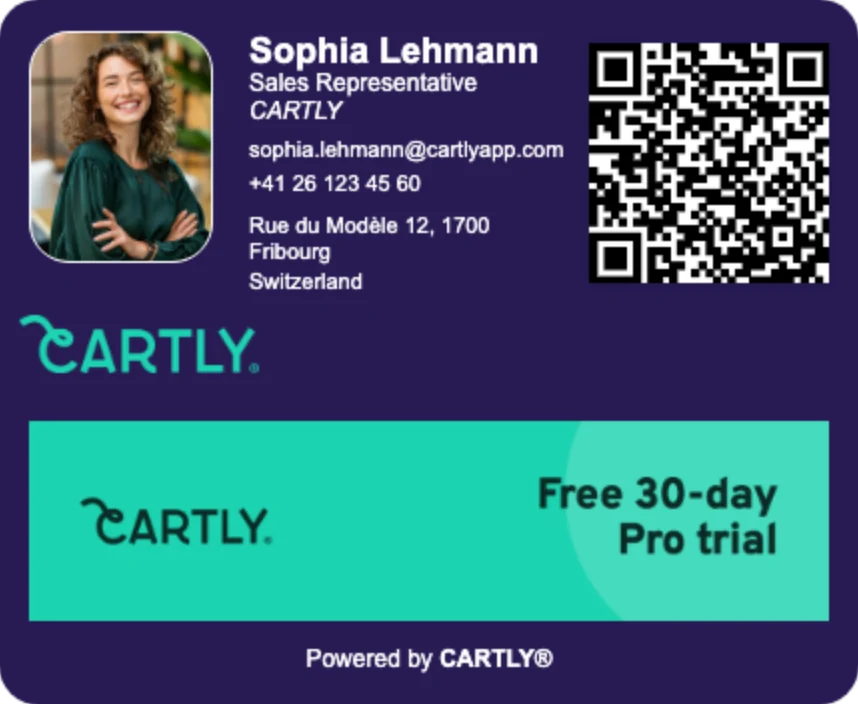
Generate a signature from your card for Outlook, Gmail or Apple Mail.
Your phone's share menu
Send your card through WhatsApp, SMS, email or any app on your phone.
Always up to date
New title or number? Edit the card and the change is live right away. No reprinting.
Working on your own account?
CARTLY is also available for individuals. Create your digital business card for free in under a minute and share it by QR code or link.
Ready in a minute
Add your details, photo and links. Your card is online right away.
Your own QR code
Show it on your phone, print it, or share your card's link.
A free plan
Starter is free for one card. Upgrade only if you need more.
Frequently asked questions
What is a digital business card?
A digital business card (also called a virtual business card or an electronic business card) is a mobile web page with your professional contact details. It can be shared by QR code, link, Apple Wallet, Google Wallet or email signature. Unlike a paper card it is always up to date, and you can see how it is used.
Do my contacts need to install an app?
No. The card opens in any smartphone or computer browser, and your contact can save your details to their address book in one tap (VCF file).
How quickly can we roll CARTLY out to our team?
Your own card is ready in under 5 minutes, and so is a small Pro team: you set your design and team permissions, add your team members, and each person receives their access by email. To roll out CARTLY Business across a whole company, allow a few hours. Our rollout guide walks through the seven steps.
Can we make sure every card respects our brand guidelines?
Yes. You choose the template, fonts and colors, activate your company logo on all cards, and set permissions per team and per field: editable, set to one value for the whole team, or disabled.
Does CARTLY work with our CRM?
Yes. With CARTLY Pro and Business, collected contacts can be exported as CSV, VCF or Excel, and the Zapier integration sends each new contact exchange automatically to HubSpot, Salesforce, Zoho CRM and other apps, and earlier contacts can be synced too.
Is CARTLY GDPR compliant?
Yes. CARTLY is a Swiss company, compliant with the GDPR, and has appointed a GDPR representative in the European Union. Read our GDPR checklist for DPOs.
How much does CARTLY cost?
Starter is free for one card. Pro costs €30 per card per year for 1 to 30 cards. From 31 cards, Business pricing decreases with volume, down to €15 per card per year; above 500 cards, pricing is on request. Prices include VAT and are shown in your local currency.
Do I need a credit card for the free trial?
No. The 30-day Pro trial includes every Pro feature for up to 30 team members and requires no credit card.
Swiss trust
- GDPR compliant
- Two-factor authentication
- Swiss Label member
Equip your team with CARTLY today
All Pro features included, up to 30 team members, 30 days free.