
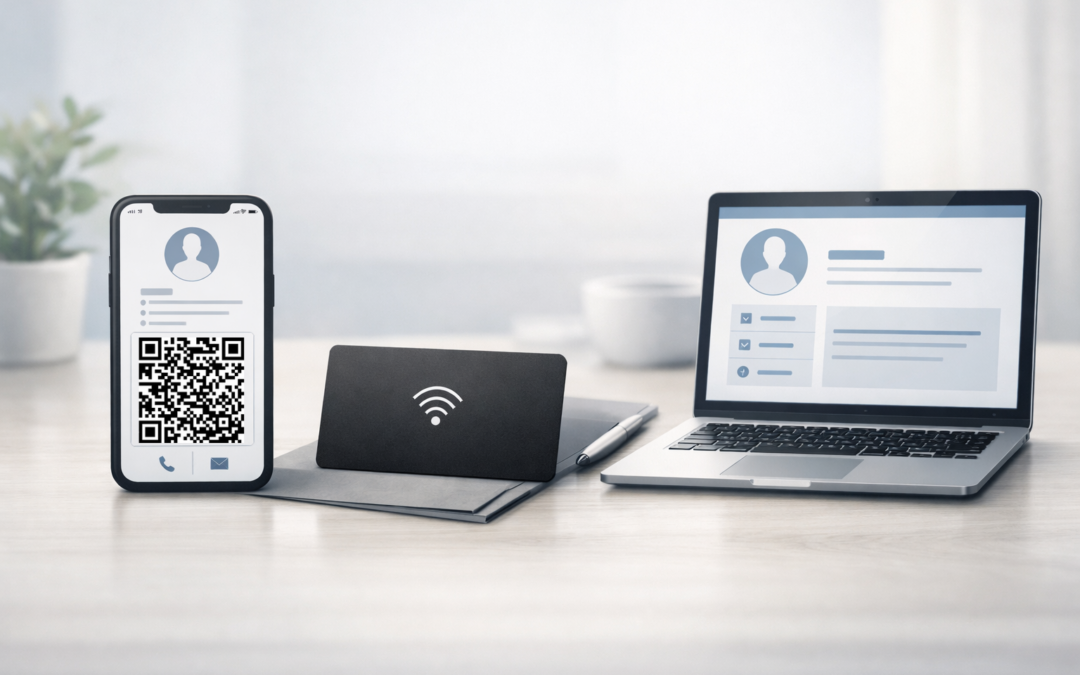
Digital business cards are no longer a single, well-defined format. Today, professionals looking to replace traditional paper cards are faced with several different digital solutions, each designed for specific situations and networking habits.
This article provides a structured overview of digital business card solutions, explains how each type works, and helps you understand which option fits which professional context.
What is a digital business card solution?
A digital business card solution is any tool or format that allows professionals to share contact information digitally instead of using printed paper cards.
These alternatives aim to:
-
Make contact details easier to save
-
Reduce manual data entry
-
Keep information up to date
-
Work across in-person and remote interactions
Rather than replacing paper with a single solution, digital business cards have evolved into several distinct categories.
Main categories of digital business card solutions
QR code–based business cards
QR code–based business cards use a scannable code that links to contact details or a digital profile.
How they work
The recipient scans a QR code with their smartphone camera, which opens a digital contact card or profile directly in the browser.
Typical use cases
-
Events and conferences
-
Email signatures
-
Presentations and printed materials
Strengths
-
Works on almost all smartphones
-
No app required
-
Easy to share both online and offline
Limitations
-
Requires visual access to the code
-
Less tactile than a physical card
Examples
-
A QR code displayed on a conference badge linking to a digital contact profile
-
A QR code shown on a presentation slide at a trade fair
-
A QR code added to an email signature so recipients can save contact details instantly
-
A QR code printed on marketing material that links to a professional profile
NFC business cards
NFC business cards are physical cards with an embedded chip that transfers information when tapped against a compatible smartphone.
How they work
Contact details are transmitted via near-field communication when the card is placed close to a supported device.
Typical use cases
-
One-to-one meetings
-
Controlled environments such as company offices or booths
Strengths
-
Fast and intuitive when compatible
-
Familiar physical format
Limitations
-
Device compatibility varies
-
Requires carrying a physical card
Examples
-
A plastic or metal NFC card used during in-person meetings
-
An NFC-enabled employee badge at a trade show
-
A reusable NFC card that redirects to a digital profile when tapped
Online professional profiles
Online professional profiles centralize contact information on a web page that can be accessed through a link or QR code.
How they work
A URL leads to a page containing professional details, links, and contact information.
Typical use cases
-
Remote networking
-
Ongoing professional visibility
-
Post-meeting follow-up
Strengths
-
Easy to update
-
Accessible from anywhere
Limitations
-
Less practical for spontaneous in-person exchanges
-
Often depends on follow-up rather than immediate sharing
Examples
-
A personal professional profile page shared via email or messaging apps
-
A profile link added to a social media bio or personal website
-
A digital profile used as a reference page after meetings or introductions
Contact-sharing links
Contact-sharing links open contact details directly in a browser, sometimes allowing one-click saving to a phone.
How they work
A simple link opens a digital contact card or profile.
Typical use cases
-
Messaging apps
-
Email follow-ups
Strengths
-
Lightweight and simple
-
No hardware required
Limitations
-
Limited context during first interactions
-
Relies on follow-up rather than the initial exchange
Comparison of digital business card solutions
When comparing digital business card solutions, a few practical criteria matter most.
Accessibility
QR codes and links work on nearly all devices. NFC depends on hardware compatibility.
Ease of sharing
QR codes and links work well in both physical and digital contexts. NFC is limited to close, in-person interactions.
Update flexibility
Online profiles and QR-based solutions are easier to keep up to date than physical NFC cards.
Device dependency
QR codes and links are device-agnostic. NFC is not.
Which digital business card solution fits which use case?
Events and conferences
QR code–based business cards are often the most practical due to speed, visibility, and broad compatibility.
Remote or hybrid work
Online profiles and contact-sharing links integrate well with digital communication.
One-to-one meetings
NFC cards can work well when device compatibility is predictable.
Ongoing professional visibility
Online profiles provide a long-term presence beyond a single interaction.
How to choose a digital business card solution
Before choosing a solution, it helps to consider:
-
How often you network in person
-
Whether you need something that works without explanation
-
How frequently your contact details change
-
How important broad device compatibility is
The most effective option is usually the one that aligns with real-world behavior rather than ideal scenarios.
Many professionals explore several business card solutions before settling on the option that fits naturally into their workflow.
Understanding your options before choosing
Digital business card solutions are not one-size-fits-all. Each category addresses different needs, contexts, and habits.
Understanding how these options work makes it easier to choose a solution that supports consistent, reusable contact sharing rather than simply replacing paper with another static format.